Finex
Reservations · Inside Finex POS

Reservations, beside your live floor

Take the booking, see it on the same floor your team is serving, and seat the guest without switching tools. Reservations live inside the POS, not next to it.

  • Reservation list, detail and timeline-style views
  • Direct table assignment, straight from the booking
  • Connected to the same tables and floors used in service
In short

A first-class part of service, not a side-tool

Reservations in Finex POS are part of the same system that runs your service. The same tables, the same floor plan, the same shift — so the host stand and the floor team always work from one picture.

Inside the dashboard

A reservation system that works at service speed

Three views, one source of truth — designed around the questions front-of-house actually asks during a shift.

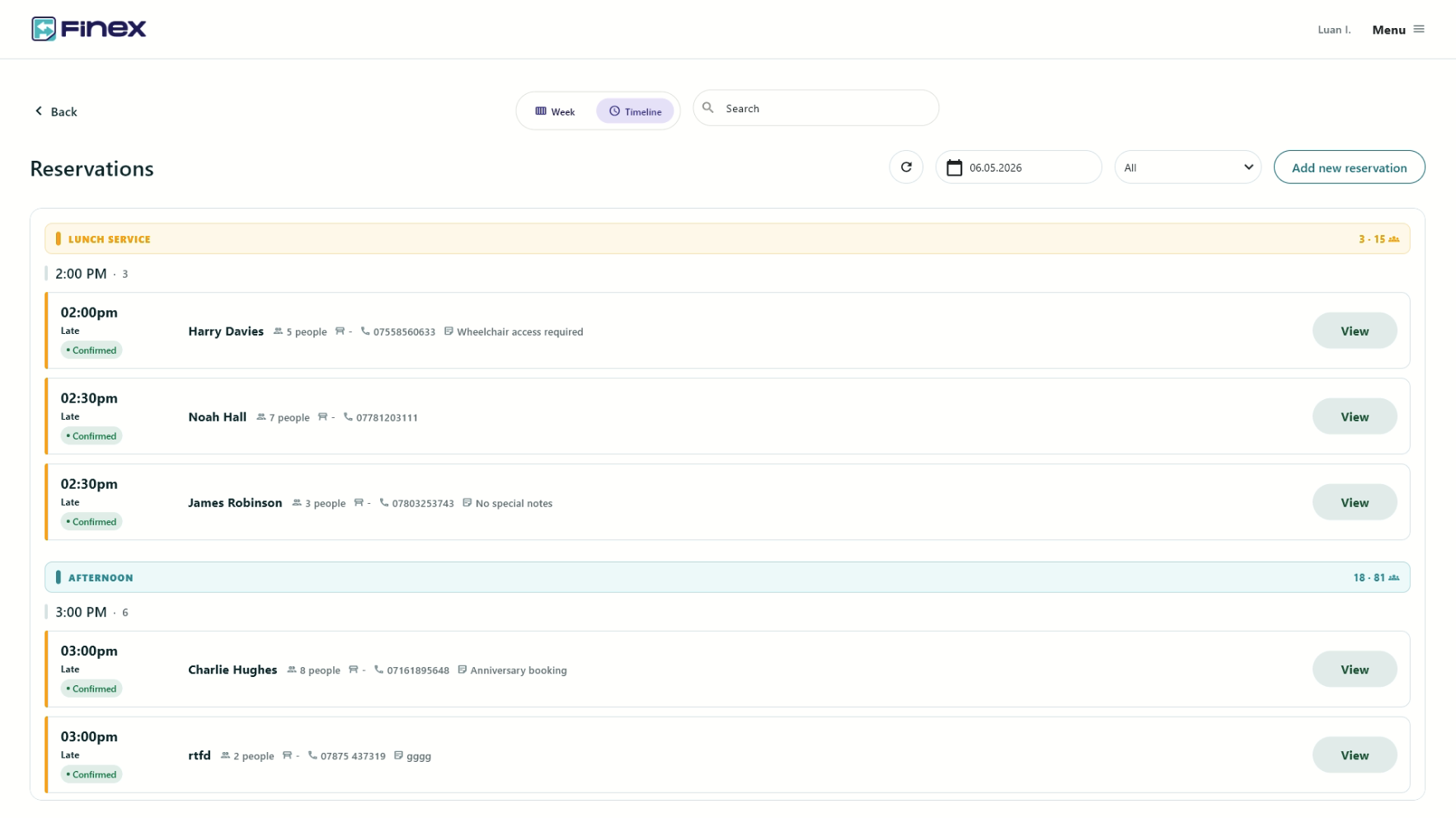
01Timeline

Hour-by-hour view of every booking, grouped by service.

Reservations timeline view grouped by service period
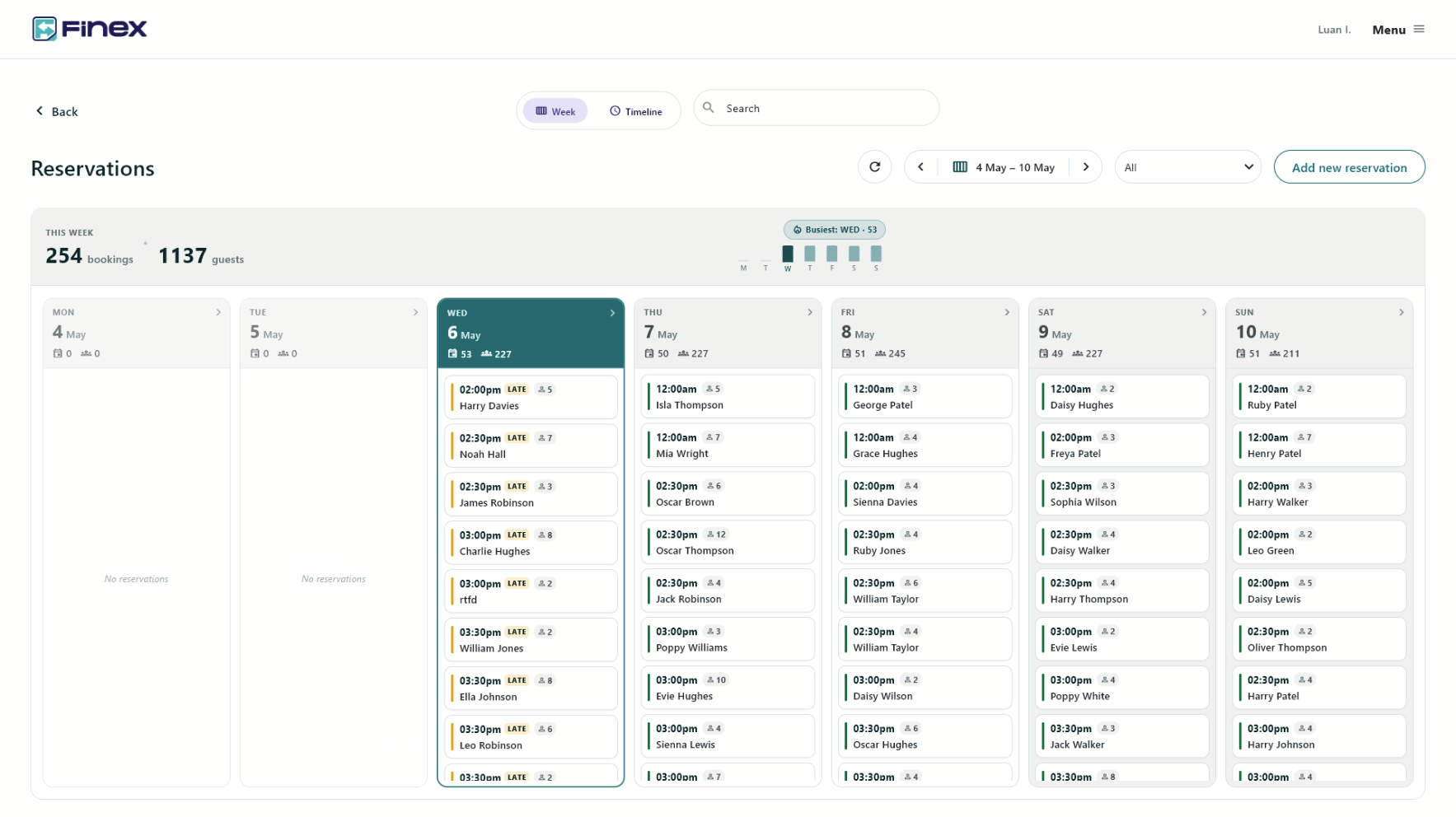
02Week

Bookings, guests and the busiest day, at a glance.

Reservations week view with daily totals and busiest day
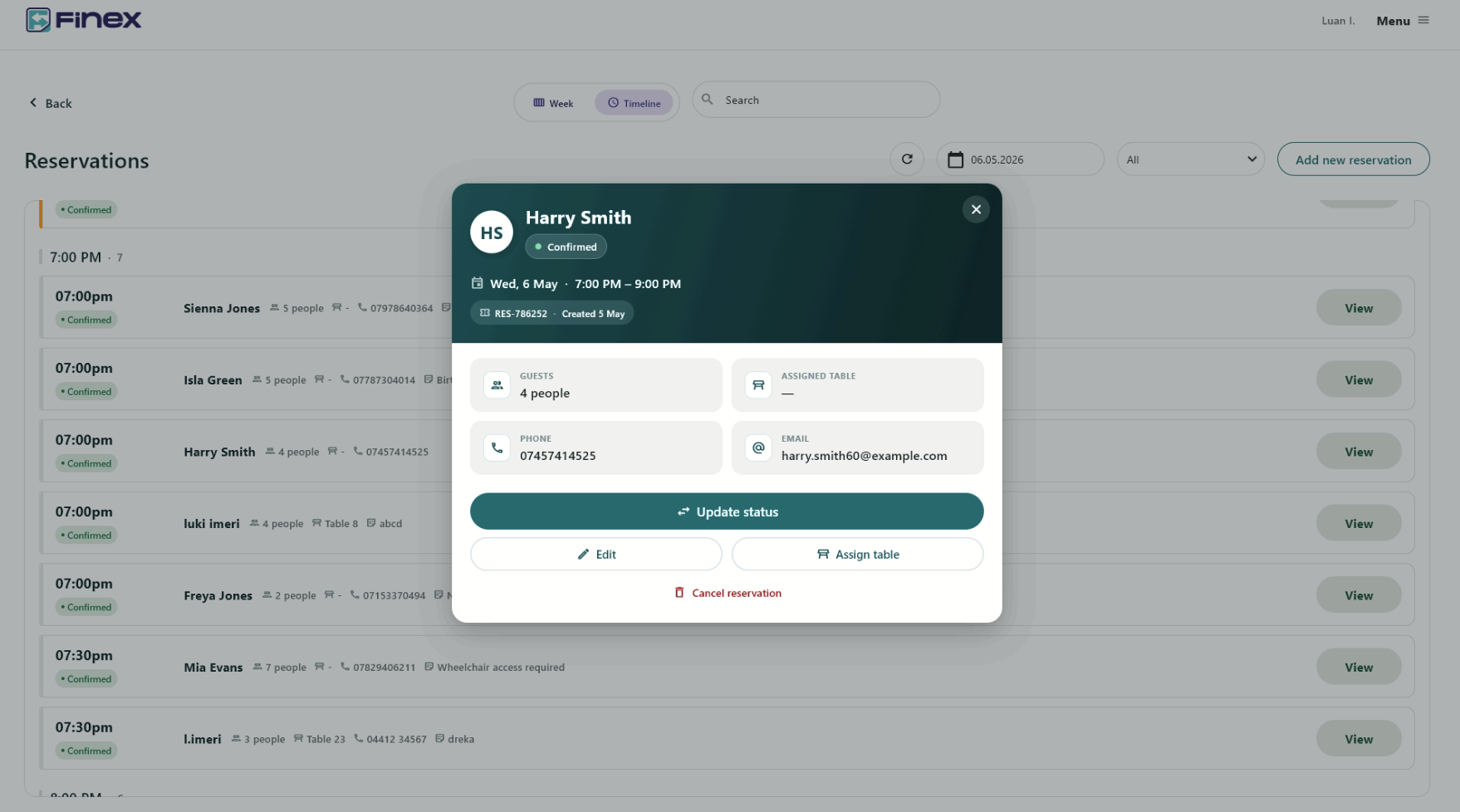
03Detail

Status, table, contact and quick actions in one place.

Reservation detail modal with status, table and contact actions
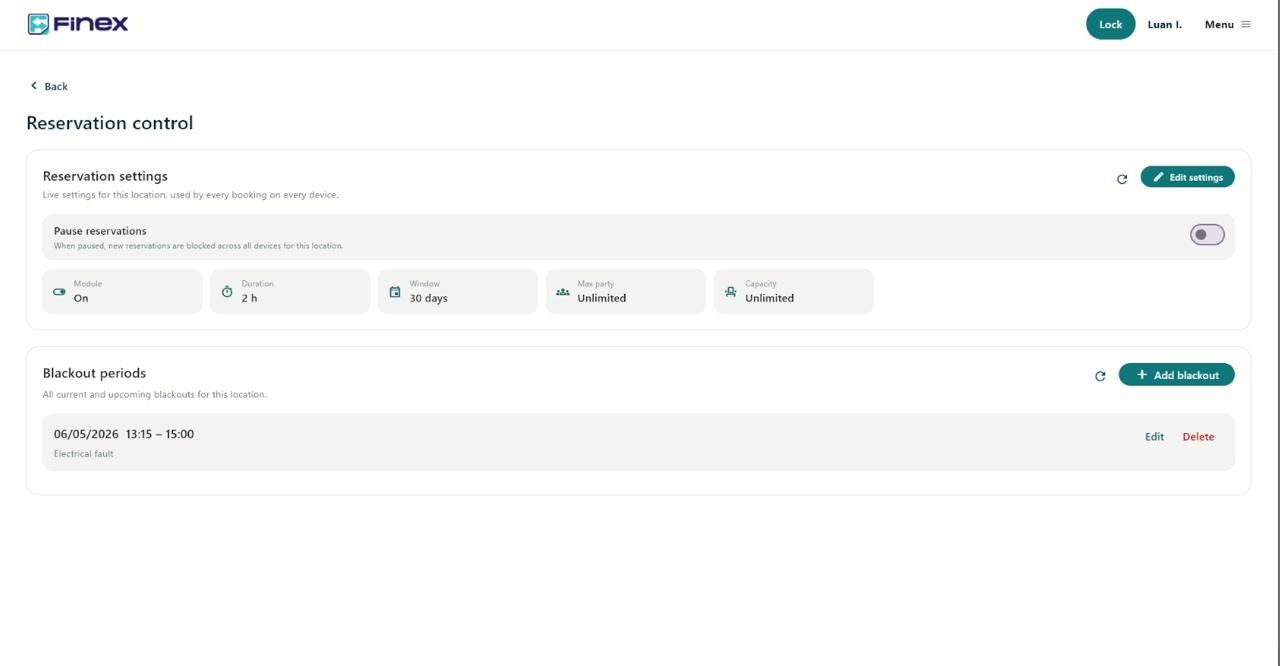
04Control

Pause online bookings, set duration, capacity and party limits, and add blackout periods — all in one place.

Reservation control panel with pause toggle, capacity limits and blackout periods
01

Every booking, at a glance

Open the day in a list view, switch to the week, or pull up the timeline — whichever fits the way you run your front-of-house. Search lets you find a guest, a table or a slot in seconds.

  • List, week and timeline-style views
  • Search across guests, tables and times
  • Periodic refresh while the dashboard runs
02

Controls that match real service

Block off the slots you can’t take. Mark a section as unavailable. Validate the details that matter so nothing goes in half-filled. Reservation controls live in the same hands as floor service.

  • Blackout periods for closures and private events
  • Smart time selection that respects venue rules
  • Required-field validation built into the booking flow
03

Seat the guest in one tap

When the booking arrives at the door, the host assigns it directly to a real table on the real floor — the same table the rest of the team is using to take orders and run the bill.

  • One-tap table assignment from the reservation
  • Same tables and floors as live service
  • Reservation context flows into the table from the start
04

One identity, one operation

Reservations don’t sit in a parallel system. The booking, the floor plan, the live service and the bill share the same identity, so hand-offs disappear and nothing has to be re-entered.

  • Bookings tied to the same table identity used in service
  • No separate database to reconcile against the floor
  • Host stand and tills working from one source of truth
Featured05

Bookings from your website, straight to your floor

Connect your website’s booking form to Finex and reservations land directly in the same system your team uses for service. No second inbox, no manual re-entry — the booking arrives, the host sees it, and it’s part of service from the moment it’s made.

  • Web bookings auto-created as real Finex reservations
  • Capacity, party-size and blackout rules applied at source
  • One booking record across the web, the host stand and the floor

See reservations on the floor

We’ll walk you through how a booking moves from the host stand into a real table, in real service, in your venue.